Top 5 Color Separation Software Suites Ranked (Why InkSplit Is the All-in-One Winner) (2025)

Searching for the best screen printing software in 2025? This guide compares the top tools for automated color separation, screen print color management, and a faster screen printing workflow. We reviewed five leaders in screen printing technology to help you boost quality, save time, and pick the right platform—then we explain why one option is built for true automated screen printing.
#1 InkSplit: The Complete All-in-One Solution
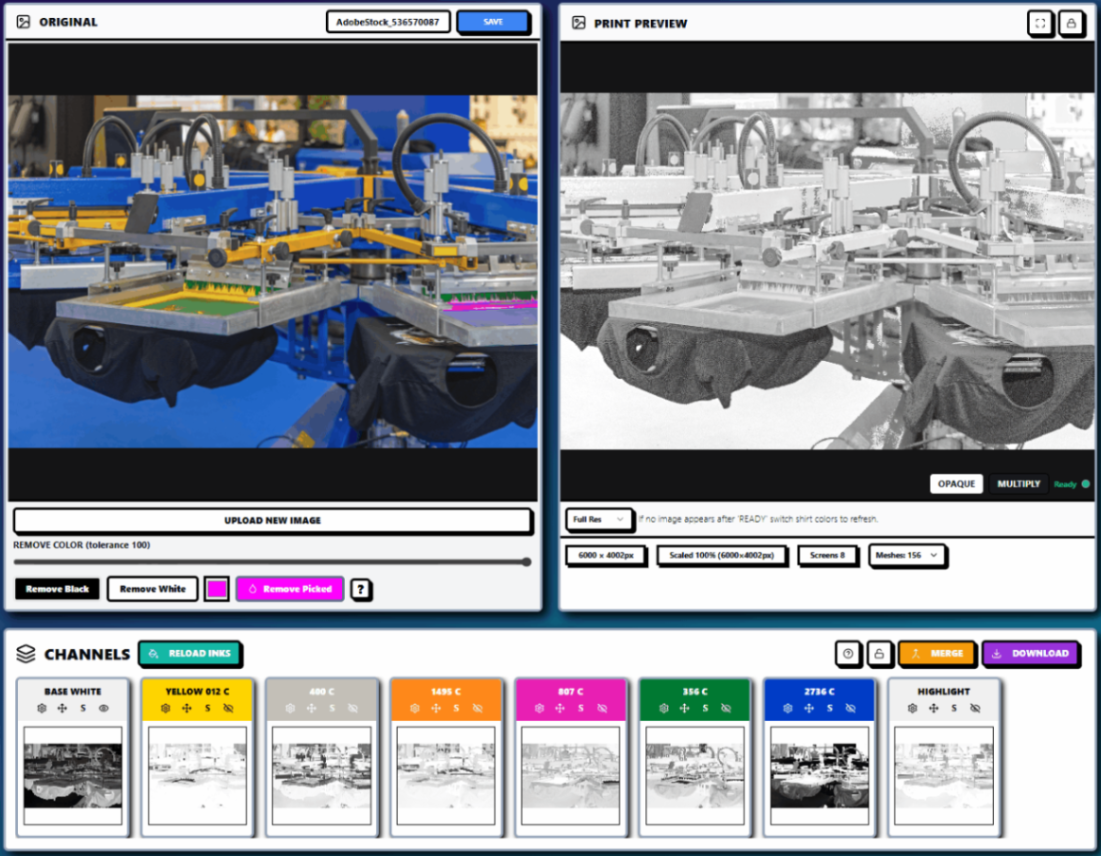
InkSplit takes the crown as the only truly complete cloud SaaS for screen printing color separation. If you're prioritizing screen printing automation and reliable screen print color management, InkSplit delivers automated color separation, live preview, and built-in RIP—no extra plug-ins, no external RIP, and zero desktop installs.
What sets InkSplit apart:
100% browser-based - No software installation, no plugin nightmares
Built-in RIP functionality - Export print-ready files directly
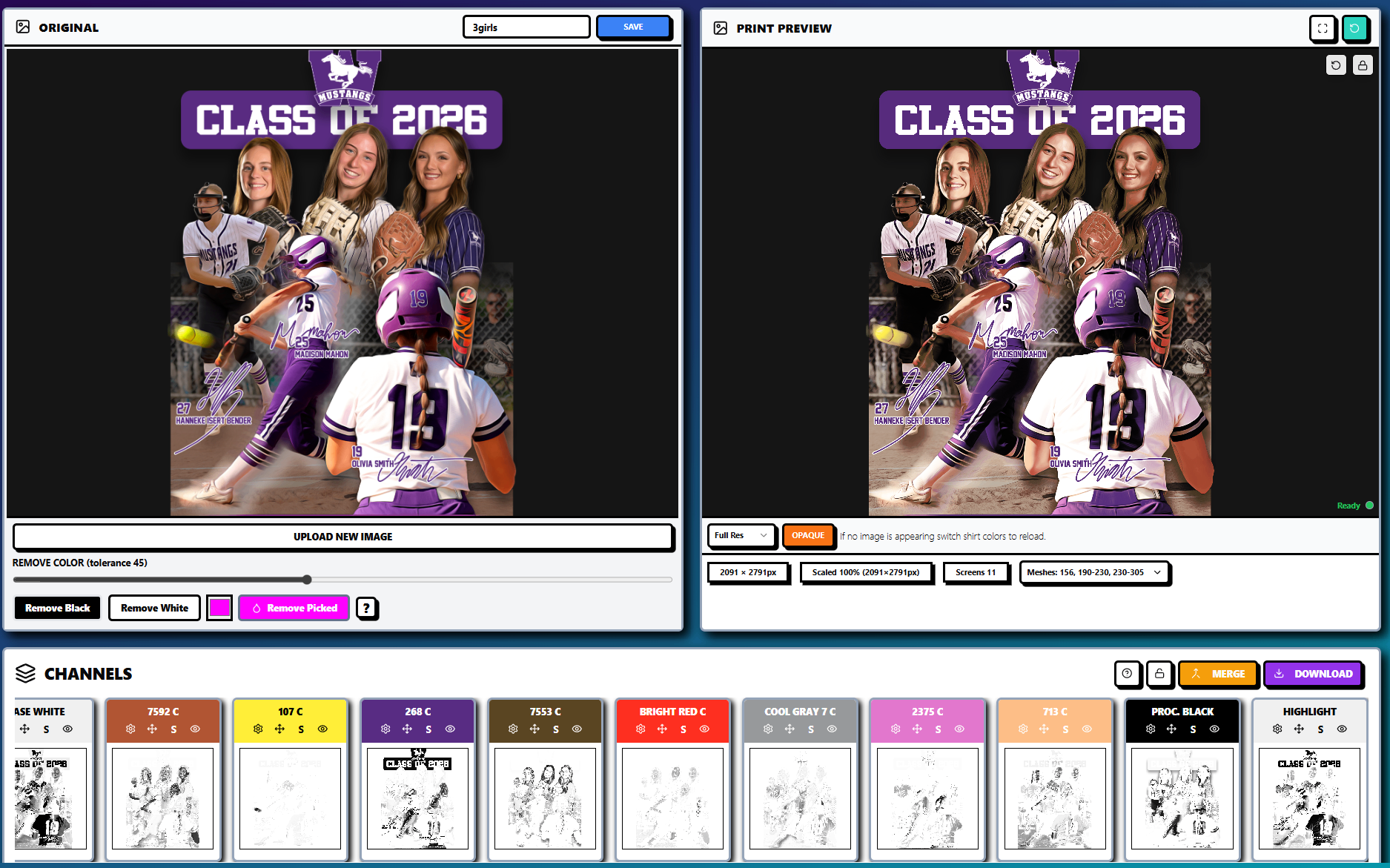
Live print preview - See exactly how your design will look on any garment color
Smart ink library - Create, save, and manage custom ink recipes
Automated underbase generation - One-click intelligent white ink placement
GPU-accelerated processing - Most separations complete in under 30 seconds
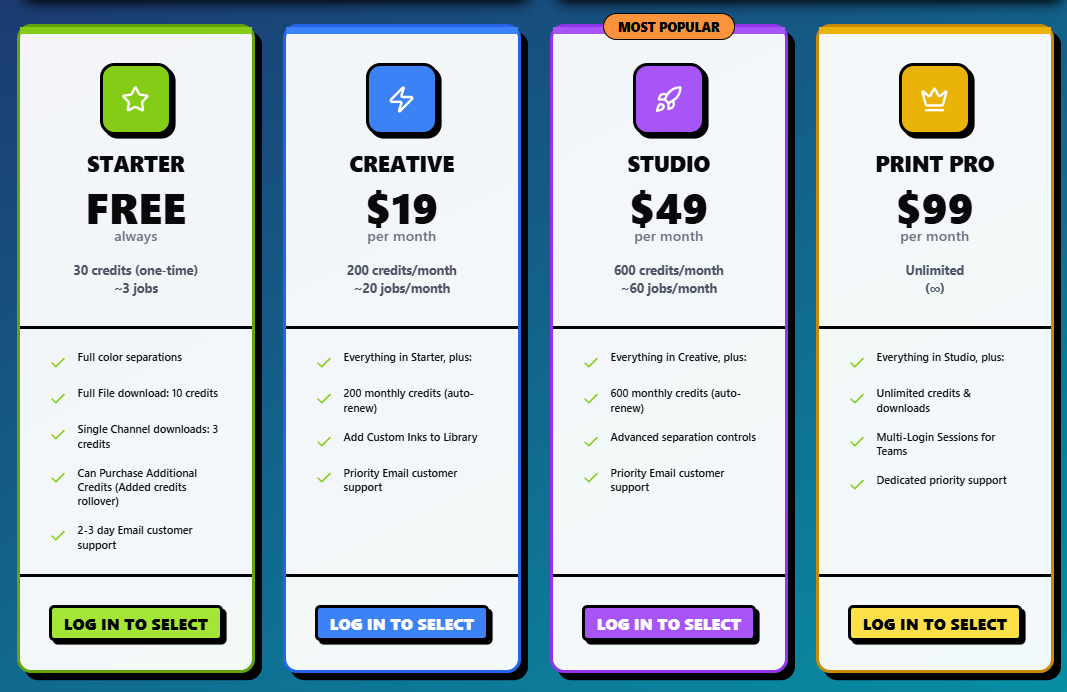
Pricing: Free limited tier, Creative $19/month (200 credits), Unlimited $99/month, as low as $1/job (10 credits/job average, scales down with volume). No external RIP fees.
Built for automated screen printing, InkSplit streamlines the entire screen printing workflow: upload artwork, choose garment color, map inks, preview underbases, and export print-ready files—all in your browser. No hunting for compatible plug-ins, no separate RIP subscriptions, no endless tutorials just to get basic functionality working. The live preview doubles as practical screen printing tips, reducing trial-and-error and improving first-print quality.
#2 Separation Studio: The Industry Standard (With Limitations)
Separation Studio is a desktop color separation software suite favored by shops that prefer an on-prem workflow. It offers powerful spot color and simulated process capabilities, but compared to modern SaaS screen printing software it provides less automation and fewer integrations across the screen printing workflow.
Strengths:
Excellent halftone generation
Strong color editing tools
Good integration with design applications
Beginner-friendly interface
Where it falls short:
Requires separate RIP software for final output
Limited preview capabilities compared to modern solutions
Desktop-only (no cloud/mobile access)
Additional costs for full workflow completion
Pricing: $1,495 one-time perpetual license. No subscription required. Check official site for any updates/discounts.
While Separation Studio handles the separation process well, you'll still need to invest in additional RIP software and spend time learning multiple programs to complete your workflow.
#3 UltraSeps: Advanced but Incomplete
UltraSeps is a Photoshop-based add-on focused on screen printing color separation inside Adobe's environment. It provides sophisticated separations for CMYK, RGB, and spot work, but automation and broader screen printing workflow coverage are limited—you'll still rely on Photoshop actions and an external RIP.
Strengths:
Advanced color separation algorithms
Support for complex artwork
Automated channel generation
Fleshtone optimization features
Major limitations:
Requires external RIP software for print-ready output
Steep learning curve
Desktop installation required
No real-time preview functionality
Pricing: $299 one-time perpetual license (current late-2025 discount). Multiple system installs permitted.
UltraSeps excels at the technical aspects of separation but leaves you hanging when it comes to actually getting files ready for print.
#4 Adobe Photoshop + Plugins: The DIY Nightmare
Adobe Photoshop plus plug-ins is a DIY screen printing software stack. It can produce solid results using tools like T-Seps, FastFilms, or QuikSeps, but it's the least automated approach: frequent Adobe updates, plug-in compatibility issues, no native live preview, and no integrated RIP all slow down screen printing automation.
The Photoshop reality:
Requires plugins like FastFilms, T-Seps, or QuikSeps (T-Seps $250-$350, FastFilms historical $200-$250, QuikSeps $199+)
Plugin compatibility issues with every Photoshop update
No print preview - you're flying blind until you actually print
Time-intensive manual process - even with plugins, separations take 1-3 hours
Still needs separate RIP software
Total cost: $240/year (Photoshop) + plugin (T-Seps $250-$350, FastFilms $200-$250, or QuikSeps $199+) + external RIP (e.g., AccuRIP Black Pearl ~$400+). Requires separate purchases for plugins and RIP.
The plugin problem is real: Every Photoshop update risks breaking your expensive separation plugins. Users regularly report losing entire workdays to compatibility issues, and some plugins simply stop working permanently with newer versions.
#5 Separo: Quick but Limited
Separo is a cloud/SaaS option that helped popularize browser-based, automated color separation. It's fast for simple artwork and a good entry into online screen printing software, but it lacks deeper screen print color management features (like ink libraries and advanced underbase control) and still depends on an external RIP.
What it does well:
Browser-based convenience
Quick setup for simple designs
No software installation required
Where it stops short:
No ink library management - you can't save or customize ink recipes
Limited preview options - basic at best
Requires external RIP for final print files
Struggles with complex artwork
No advanced underbase control
Pricing: $49/month (Starter) and $149/month (Plus). 30-day free trial
While Separo was innovative for its time, it feels incomplete compared to modern full-suite solutions.
Software | Price (Dec 2025) | Model |
InkSplit | $19/mo (200 credits), $99/mo (unlimited), as low as $1/job | Subscription, pay-as-you-go |
Separation Studio | $1,495 one-time | Perpetual license |
UltraSeps | $299 one-time | Perpetual license |
Photoshop (+ Plugin) | $240/year (PS) + $250-$350 (plugin) + ~$400 (RIP) | Annual/subscription + one-time plugin/add-ons |
Separo | $49/mo (Starter), $149/mo (Plus) | Subscription |
The Real Cost of "Almost" Complete Solutions
Here's what most shops overlook when comparing the best screen printing software: hidden workflow costs that undermine automation and profitability.
Time costs:
Learning multiple software programs
Transferring files between applications
Troubleshooting plugin compatibility issues
Manual tweaking without live preview
Software costs:
Base separation software
Plugin purchases and updates
Separate RIP software subscriptions
Potential replacement costs when plugins break
Workflow disruption costs:
Reprints due to poor previews
Wasted screens from trial-and-error separations
Rush fees when workflows break down
Why InkSplit's All-in-One Approach Wins
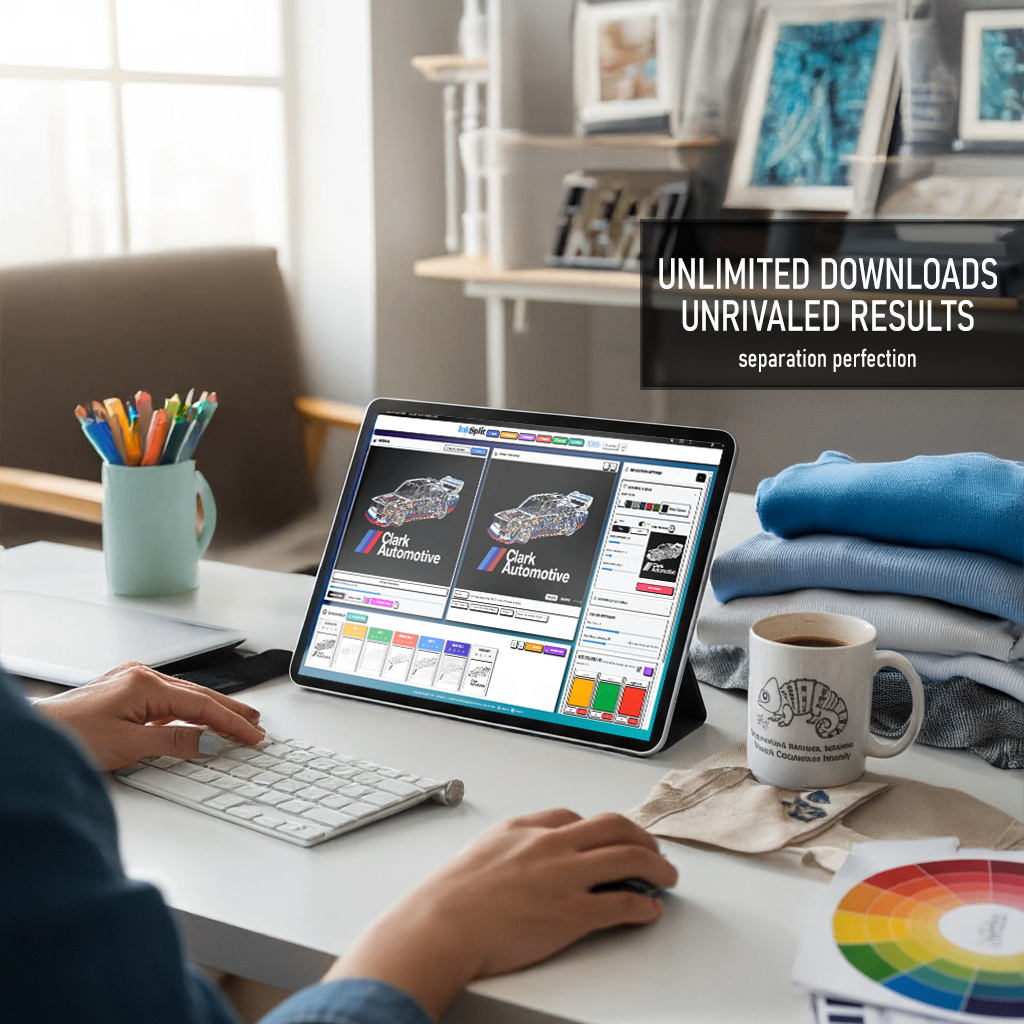
InkSplit removes these bottlenecks across the screen printing workflow with automated color separation and an integrated RIP:
No compatibility issues - Browser-based means it works on any device, any operating system, always up-to-date.
True live preview - See your actual print result before burning a single screen. Change garment colors, adjust inks, preview underbases: all in real time.
Complete workflow - From upload to print-ready files in minutes, not hours.
Intelligent automation - Smart underbase generation, automatic color extraction, and optimized separations that consistently produce better results than manual methods.
Scalable pricing - Free limited tier; Creative $19/month (200 credits); Unlimited $99/month; as low as $1/job (10 credits/job average, scales down with volume). No external RIP fees.
The Bottom Line
In 2025, the best screen printing software should automate color separation, simplify screen print color management, and accelerate your production workflow. InkSplit does all of that in one platform.
Instead of juggling multiple apps and RIPs, you get automated screen printing that cuts setup time, improves consistency, and lifts print quality.
The choice is simple: adopt modern screen printing technology that saves hours and reduces re-burns, or keep patching together tools that slow production.
Ready to upgrade your screen printing automation? Try InkSplit's free tier and get automated color separation with live preview and built-in RIP.


Comments