One Software to Rule Them All: Why You Don't Need an External RIP with InkSplit

If you’ve been in the screen printing game for more than a minute, you know the drill. You get a beautiful, complex piece of artwork from a client. You spend an hour (or three) tweaking it in Photoshop or CorelDRAW. You run a separation plugin. Then: and this is the part that usually kills the momentum: you have to export those files, open up a completely different piece of software called a RIP (Raster Image Processor), configure your dot sizes, and pray that the communication between your computer and the film output device doesn't glitch out.
It’s a clunky, expensive, and frankly outdated way to work.
At InkSplit, we looked at this fragmented workflow and asked a simple question: Why? Why do screen printers need to pay a "RIP Tax" just to get their designs onto a piece of film? Why can’t the separation software just... print the dots?
That’s exactly why we built InkSplit the way we did. We didn't just build a color separator; we built a complete pre-press engine. Here is why you can finally delete that external RIP software and never look back.
The RIP Software Tax: Adding Cost and Complexity
For years, the industry standard has been to treat color separation and film output as two entirely different worlds. You’d buy your design suite, then buy a separation tool, and then you’d be hit with the "RIP Tax."
Standalone RIP software is rarely cheap. You’re often looking at anywhere from $500 to over $1,000 for a single license. And if you want to run it on multiple machines? Get your checkbook ready. Beyond the literal cost, there is the "Complexity Tax." Every piece of software you add to your workflow is another point of failure. It’s another interface to learn, another set of drivers to update, and another company’s support line to wait on when things go wrong.
Most separation tools on the market today only do half the job. They give you the channels, but they leave you stranded when it comes to actually generating the halftones needed for the press. You’re forced to buy a secondary program just to act as the bridge.
All-in-One Workflow: One Pass to Rule Them All
Imagine a world where you upload a file, hit a button, and get print-ready halftones immediately. That isn’t a dream: it’s the core of InkSplit’s technology.
When we say "One Software to Rule Them All," we mean it. InkSplit handles the heavy lifting of color science and the technical precision of RIPing in one single, seamless pass. You aren't just getting color channels; you’re getting the final, dot-perfect output ready for your film printer.

Because InkSplit lives in your browser, there’s no "installation" of the RIP engine. It’s just there, powered by our high-end servers. You can adjust your frequency (LPI), your angle, and your dot shape directly within the interface. There is no exporting to an intermediate format or "round-tripping" between apps.
Simplicity is Speed: Ending the Multi-Program Headache
In a busy shop, speed is everything. If it takes your pre-press person 30 minutes to move a file through three different programs, you’re losing money.
The traditional "App Jump" looks like this:
Open artwork in Photoshop.
Run a separation plugin.
Save as a massive Multi-channel DCS 2.0 or PSD file.
Open the standalone RIP software.
Import the file (and hope the layers stayed intact).
Set the halftone settings.
Send to print.
With InkSplit, that workflow is decimated. You upload the art, choose your separation profile, and the software generates the halftones automatically. You can preview exactly what the dots will look like on the screen before you ever waste a sheet of film.

When you remove the need to jump between programs, you don't just save time; you eliminate the chance for human error. You don't have to worry if the "Dot Gain" settings in your RIP match the "Color Profile" in your separation tool because they are the same tool.
Precision Halftoning: Not Just a "Tacked On" Feature
A common concern we hear is: "If the RIP is built-in, is it actually good?"
We get it. Usually, when a company tries to do everything, they end up doing everything "okay" but nothing "great." That isn't the case here. InkSplit’s built-in RIP wasn't an afterthought: it was a primary engineering goal.
Our halftone generation is GPU-accelerated. This means we use massive computing power to calculate the placement of every single micro-dot with mathematical precision. Whether you are printing 45 LPI for a vintage look or 65 LPI for high-detail simulated process, the dots are crisp, the gradients are smooth, and the moiré patterns are non-existent.
By integrating the RIP into the separation engine, the software knows exactly how to transition those tricky highlight whites and deep shadows into printable dots. It’s a level of synergy that standalone RIPs simply can't achieve because they don't "understand" the artwork the way the separation engine does.
The Math of Saving Thousands
Let’s talk numbers. If you are a growing shop, every dollar counts. Let’s look at the pricing-plans of a traditional setup versus an InkSplit setup over the course of a year.
Traditional Setup:
Separation Plugin: $300 - $600 (one-time or annual)
Standalone RIP Software: $500 - $1,200 (one-time)
Annual Maintenance/Updates: $150 - $300
Total Year 1: $950 - $2,100
InkSplit Setup:
InkSplit Subscription: Starting at just $19/month (or $99/month for the Print Pro unlimited plan).
Built-in RIP: $0
Updates/Maintenance: Included
Total Year 1: $228 - $1,188
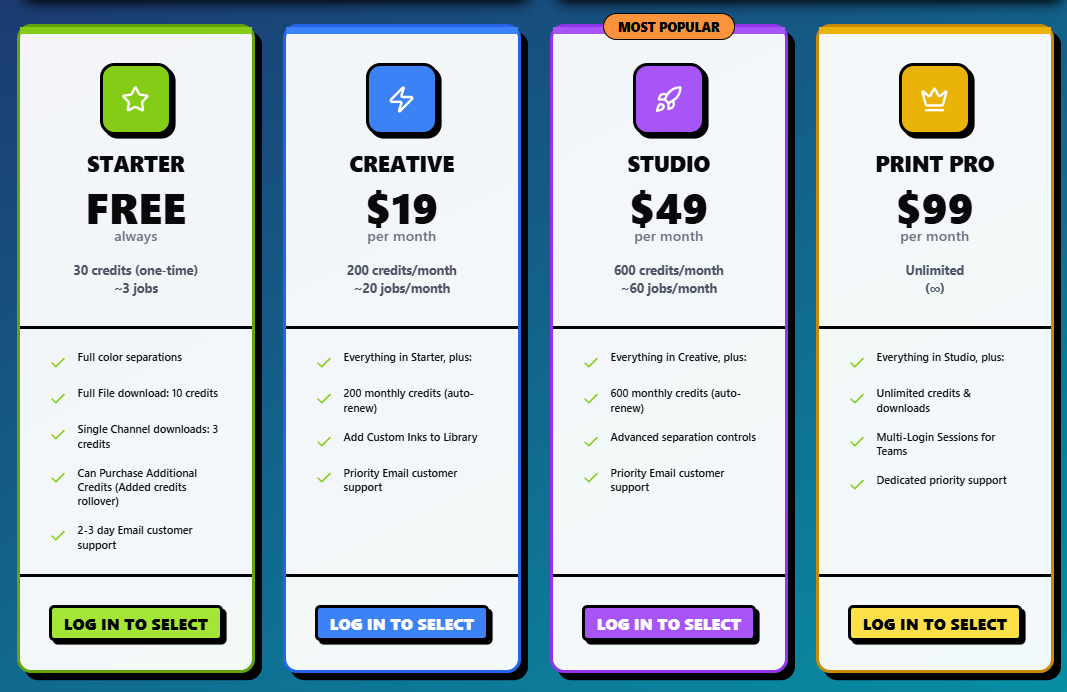
By switching to an all-in-one solution, you aren't just saving the initial purchase price; you’re saving on the "hidden costs." You don't need a high-end dedicated PC just to run a heavy RIP program. Since InkSplit handles the processing in the cloud, you can run your pre-press from a laptop, an iMac, or even a tablet on the shop floor.
Removing Technical Barriers: Pre-Press for Everyone
In many shops, there is one "Tech Guy" or "Pre-press Guru." If that person is sick, or if they leave, the shop grinds to a halt because no one else knows how to navigate the complex settings of a standalone RIP.
We wanted to democratize the process. By building the RIP directly into an intuitive, web-based interface, we’ve made it accessible to everyone. You don't need a degree in color science to get perfect films. You just need to know what you want the final shirt to look like.
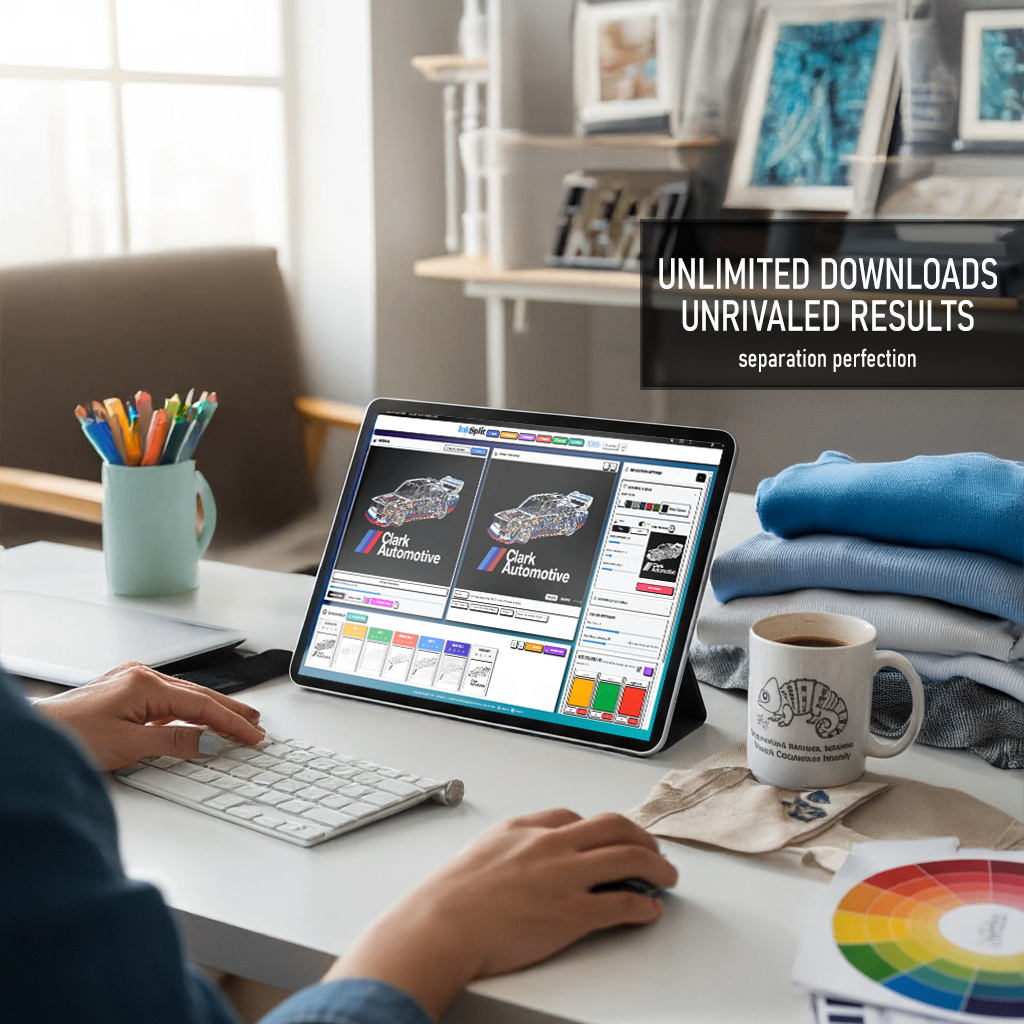
This accessibility is a game-changer for owners who want to scale. You can train a new employee to handle separations and film output in a single afternoon because the workflow is linear and logical. You aren't teaching them three different software languages; you're teaching them one efficient system.
Comparison: Why We Win
We've done the head-to-head comparisons. When you look at InkSplit vs. Separations tools like Separo, the biggest differentiator is always the "Finished Product." Other tools give you a file that requires more work. InkSplit gives you a file that is the work.
Whether you are looking for the top color separation software for 2025 or you’re just tired of your current RIP crashing, the answer is the same: Consolidation.
The future of screen printing isn't more plugins; it’s more integrated, smarter software. It’s about spending less time at the computer and more time at the press.
Ready to Drop the RIP?
The "One Software to Rule Them All" philosophy isn't just a catchy title: it's how we're helping thousands of printers reclaim their time and their profits. Stop paying for software that makes your life more complicated.
The era of the external RIP is over. It’s time to move to a workflow that’s as fast and dynamic as your business.
Tired of paying the "RIP tax"? Switch to InkSplit and simplify your workflow today.
Comments